
How to Enable Google reCAPTCHA in Odoo 18
Secure your Odoo website and protect online forms from spam and automated bot submissions.
Google reCAPTCHA is a security service that helps protect websites from spam, bots, and automated submissions.
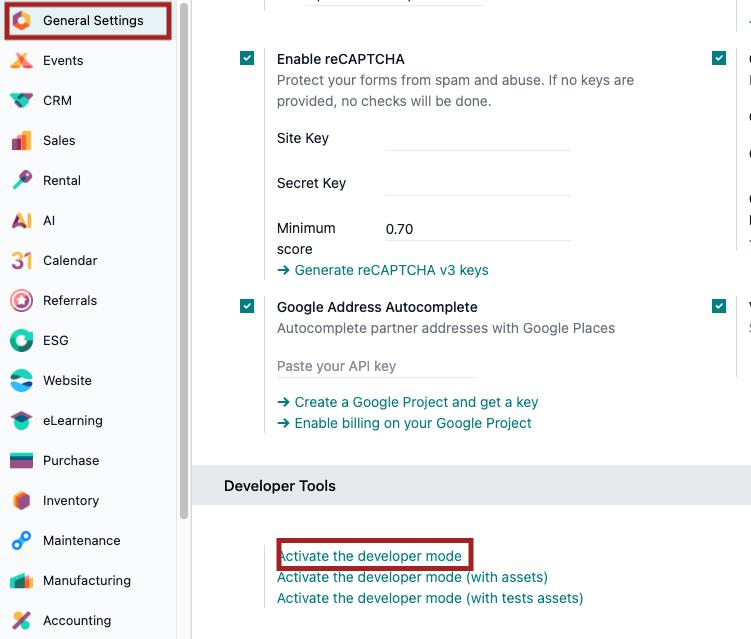
Odoo 18 supports Google reCAPTCHA v3, which verifies user interactions without requiring users to click an "I'm not a robot" checkbox.
Follow these simple steps to activate Google reCAPTCHA on your Odoo website.
Step 1 — Generate Google reCAPTCHA Keys
- Visit Google reCAPTCHA Admin Console.
- Sign in with your Google account.
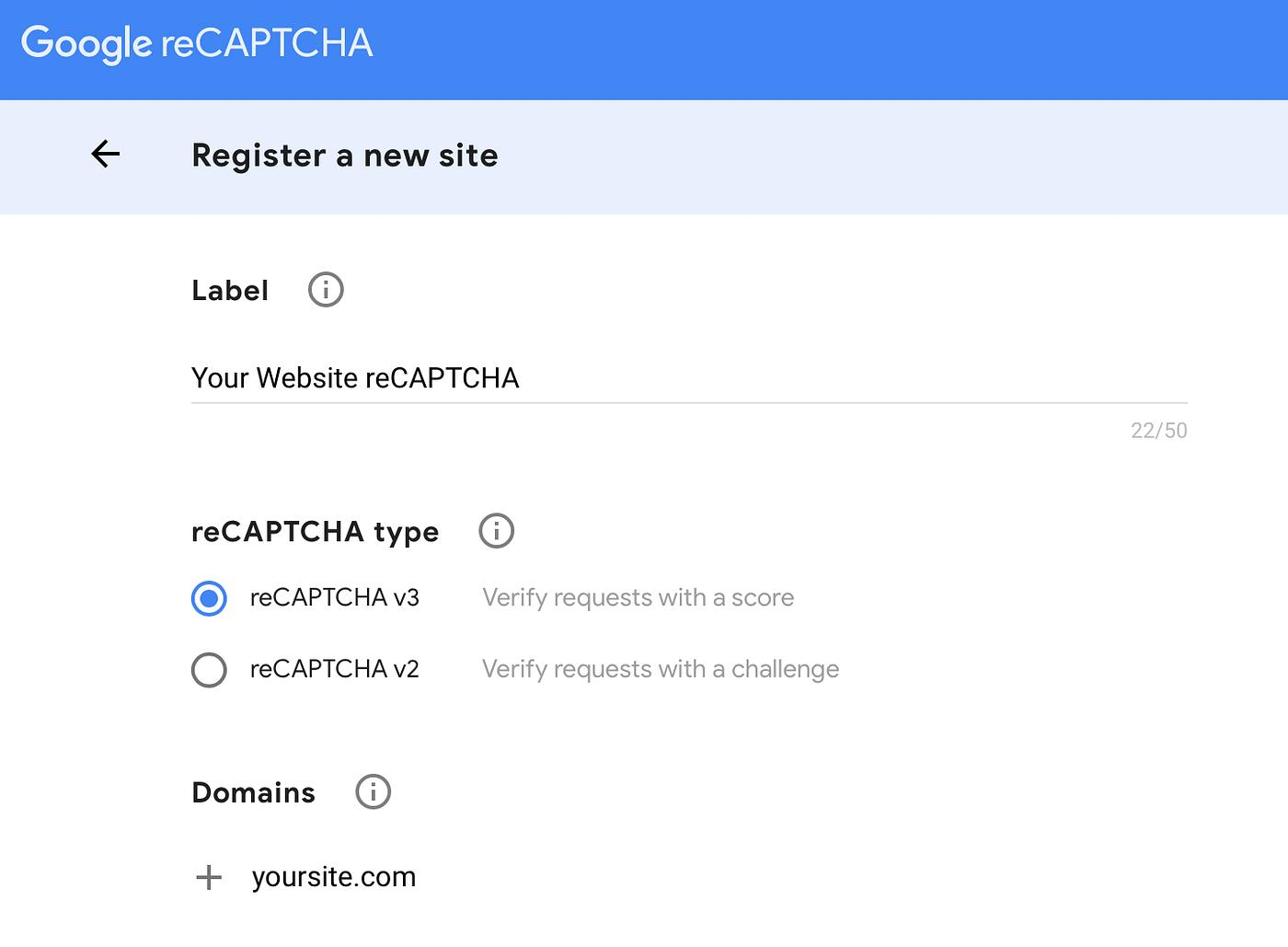
- Enter a website label.
- Select reCAPTCHA v3.
- Register your website domain or subdomain.
- Submit the registration and copy the Site Key and Secret Key.
Example: For https://erp.example.com, register erp.example.com without https://.
Step 2 — Configure reCAPTCHA in Odoo
- Log in to Odoo as an Administrator.
- Navigate to Website → Configuration → Settings.
- Find the Google reCAPTCHA settings.
- Enable the available reCAPTCHA integration.
- Enter your Site Key and Secret Key.
- Save the configuration.
Note: Menu locations may vary depending on installed modules and customizations.
Step 3 — Test the Integration
- Open your Odoo website.
- Navigate to a supported form, such as Contact Us.
- Complete and submit the form.
- Verify that the submission works correctly.
- Check the browser console and Odoo logs for verification errors.
Important: reCAPTCHA v3 operates in the background, so a visible checkbox is not required.
Common Issues and Solutions
| Issue | Solution |
| Invalid Site Key | Verify the key and reCAPTCHA version |
| Domain Mismatch | Check the registered website hostname |
| Verification Failed | Verify the Secret Key and server logs |
| CAPTCHA Not Working | Check installed modules and Odoo configuration |
| Form Submission Blocked | Review the reCAPTCHA score threshold |
Conclusion
Google reCAPTCHA helps improve Odoo website security by reducing spam and automated form submissions.
With the correct domain registration, API keys, and Odoo configuration, businesses can provide a more secure online experience.
Need help configuring Odoo?
DUO Digital Solusindo provides Odoo implementation, customization, integration, and technical support services.
Expert People. Smart Solutions. Trusted Partnership.