Local Odoo Workspace
Run, stop, restart, upgrade add-ons, and monitor local environment logs without switching tools.
$ python -m app.main --view full
DEVELOPMENT COMMAND CENTER FOR ODOO
Manage the local environment, PostgreSQL, Docker, remote server, logs, and CI/CD workflow of a desktop application designed for daily technical work.
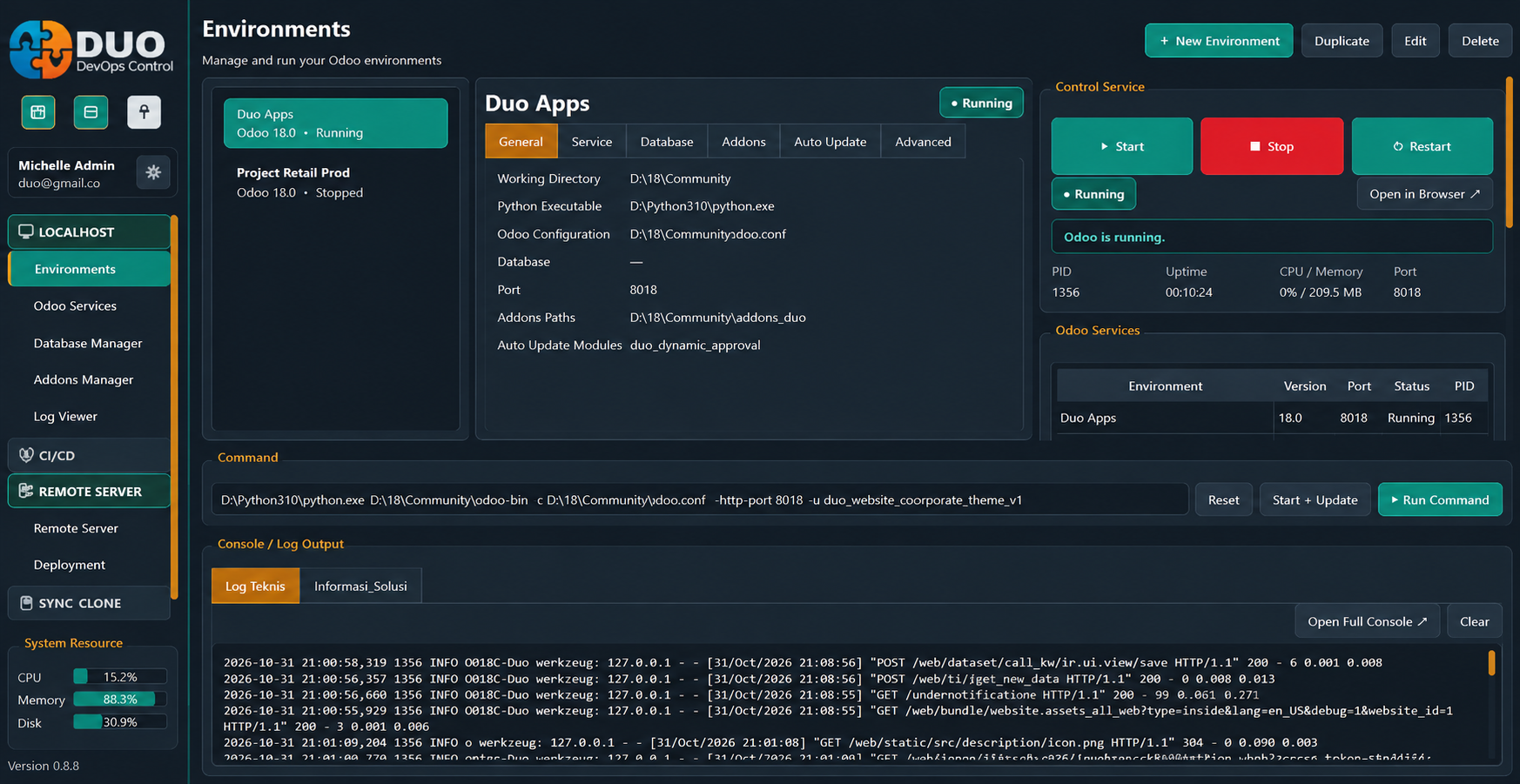
DDCC unifies operations that are typically spread across terminals, client databases, remote tools, and Git providers into a single visual flow.
Run, stop, restart, upgrade add-ons, and monitor local environment logs without switching tools.
SSH, systemd services, Docker, SFTP, health monitoring, and performance testing in one connection.
Stage, commit, push, merge request, and deploy remotely with easily understandable process statuses.
Manage PostgreSQL, backup/restore, run queries, and convert technical logs into diagnoses that assist in the next actions.
Explore the core workspace of the DUO Development Control Center.
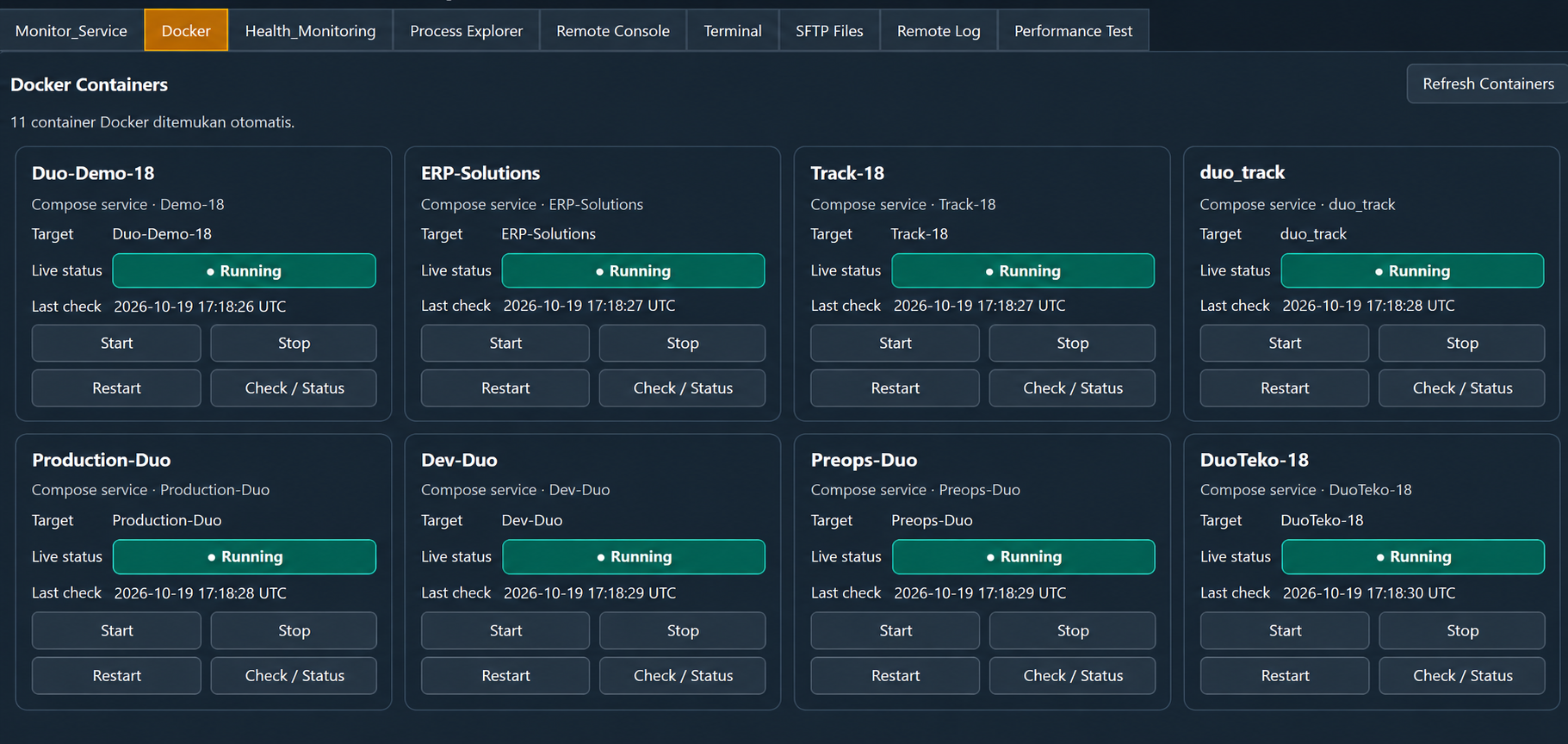
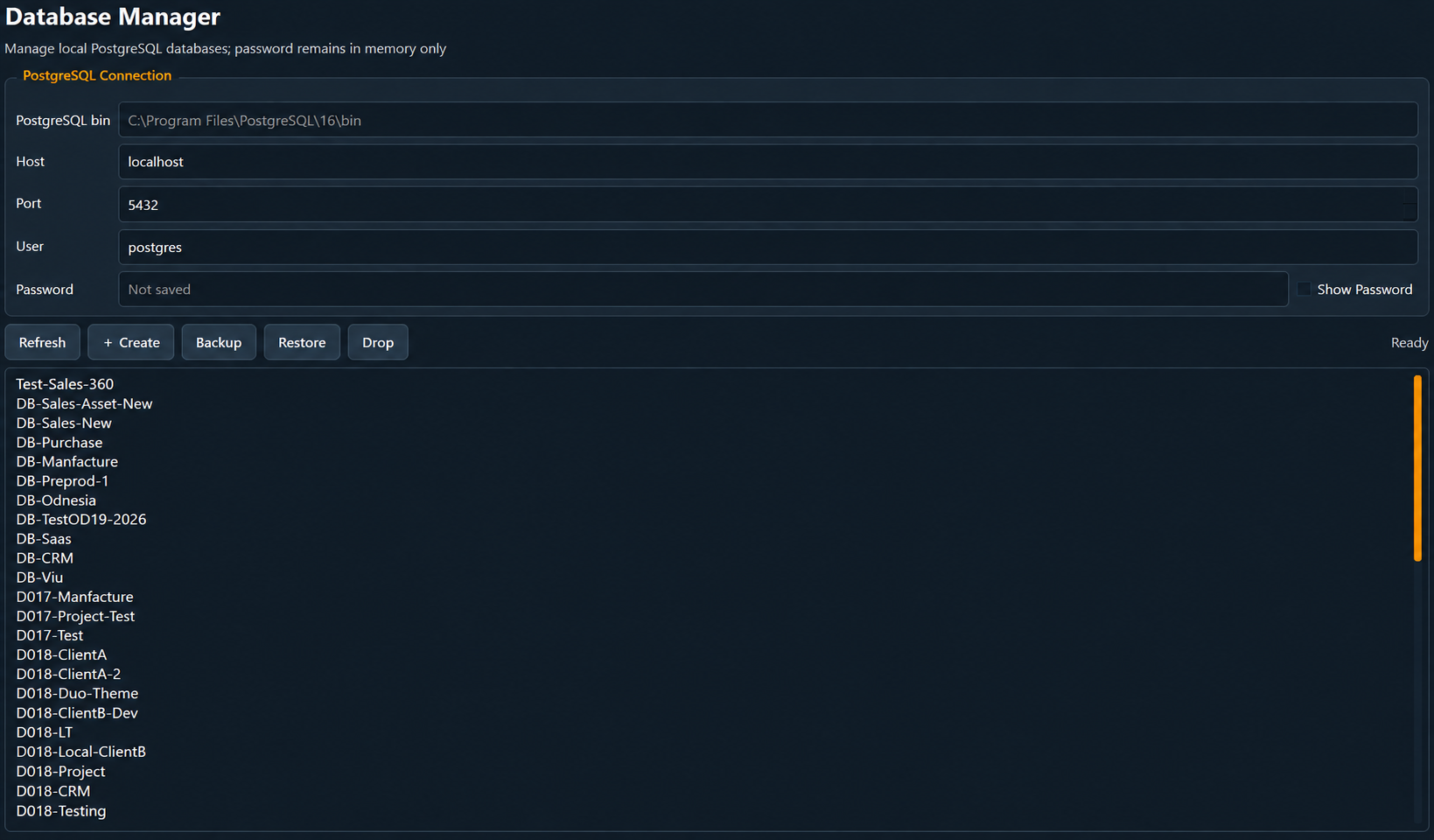
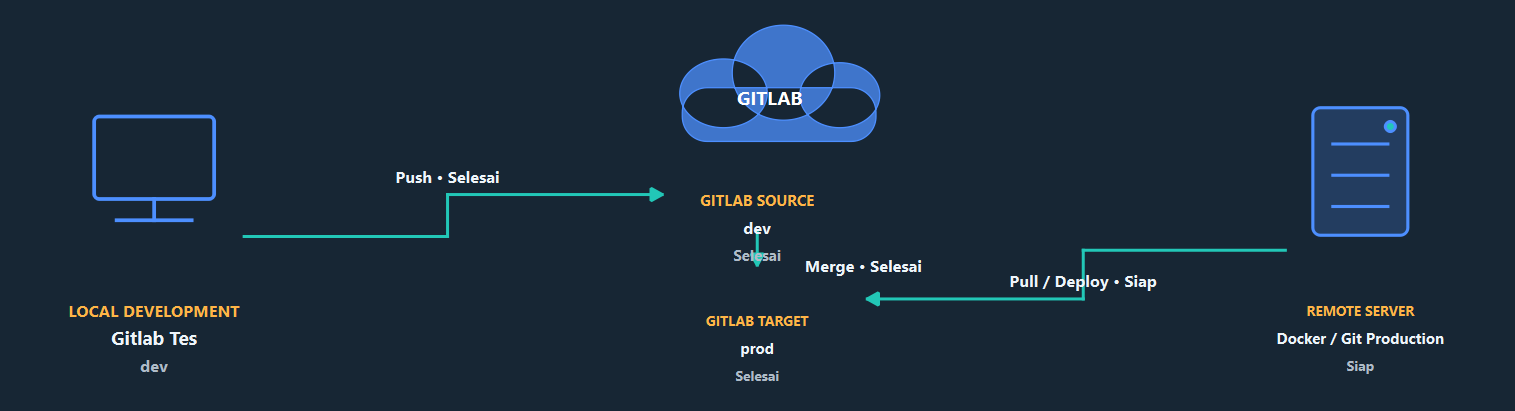
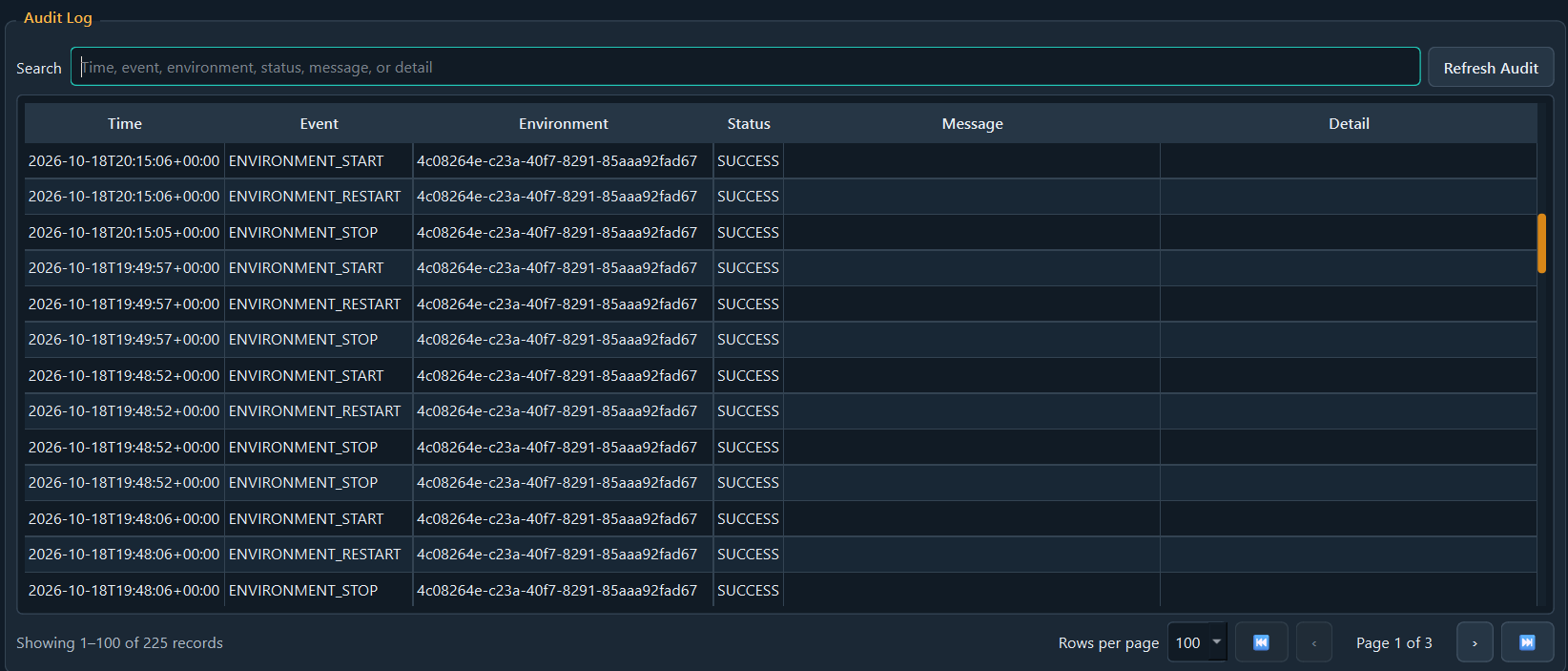
Each stage has its own actions and status, so developers know what is currently happening and what needs to be done.
Manage repositories and local changes.
LOCALGitLab or GitHub as a collaboration hub.
PROVIDERPull, upgrade, restart, and monitor the server.
REMOTE